Prerequisites & Limits
Verification completed and a verified bank account in your name.
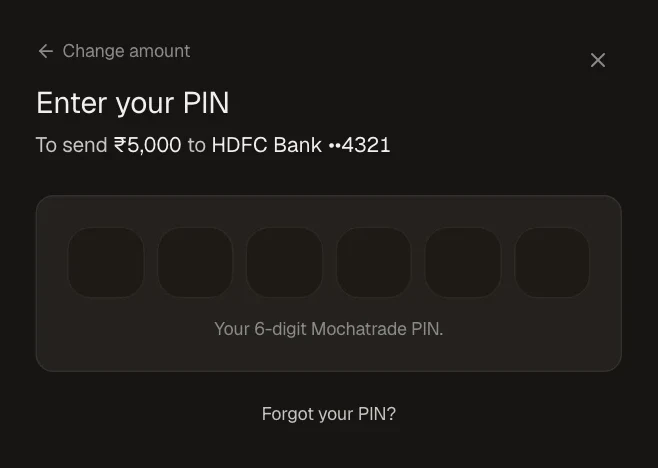
Your 6-digit PIN confirms every withdrawal. The first withdrawal to a new account also asks for an SMS code.
Fee: There are no withdrawal fees. The exact amount you will receive is displayed before you confirm the withdrawal.
The minimum withdrawal amount on MochaTrade is ₹90, and the maximum amount you can withdraw per day is ₹10,00,000.
Money in open positions can't be withdrawn until those positions close.
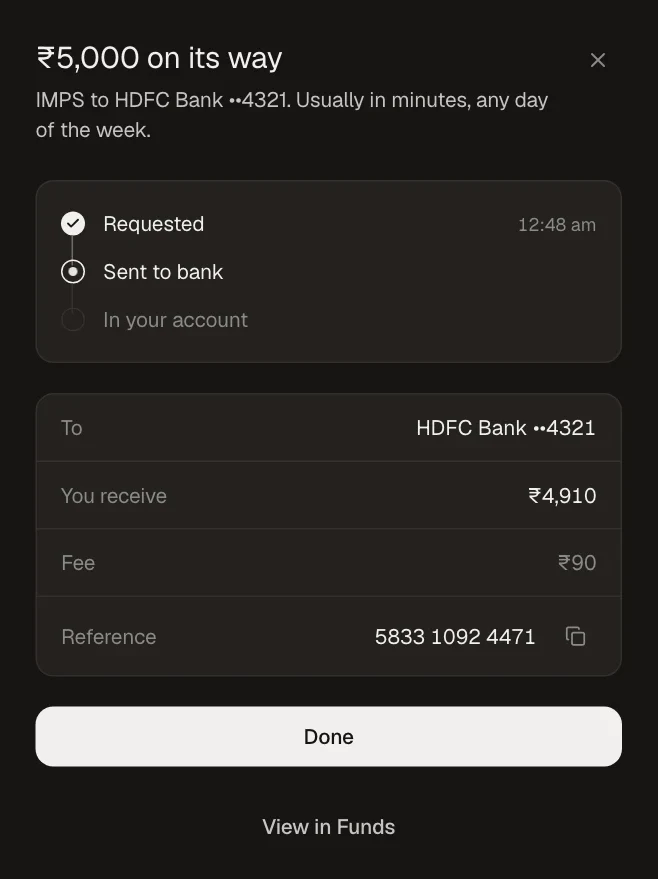
The maximum time for your withdrawal to be processed and credited to your registered bank account is 72 working hours. This timeline applies to UPI, IMPS, and bank transfers.
Step-by-Step Navigation
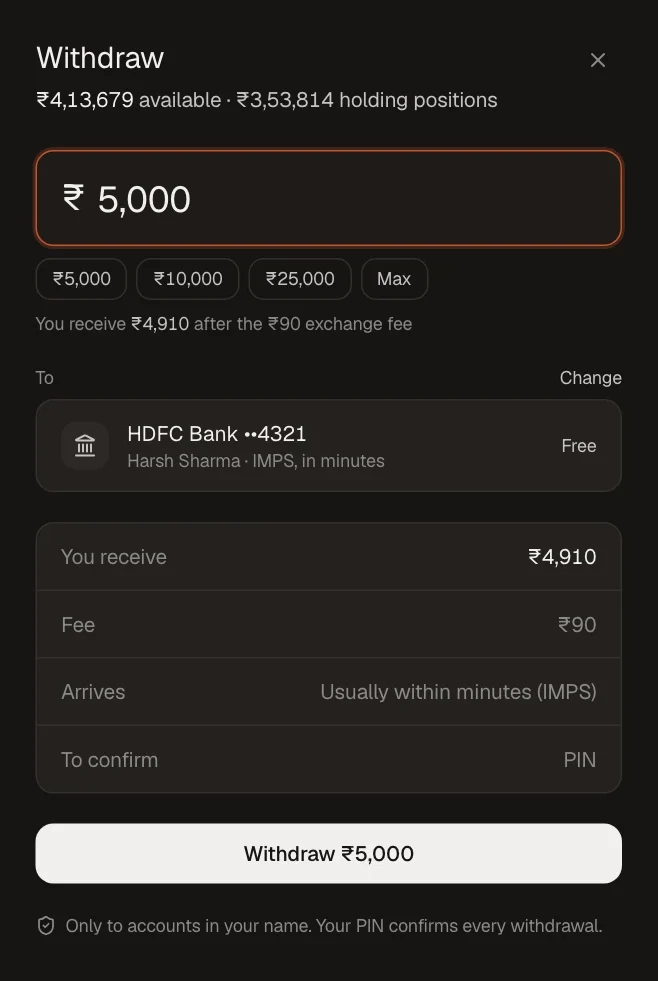
Sign in at mochatrade.com or download the app and open Funds, then click Withdraw.
Enter the amount, or pick a quick amount or Max.
Check the destination bank account (click Change to pick another), what you receive and the fee.
Click Withdraw and enter your 6-digit PIN.
Track it under Funds → Transfers.
Common Failures & Troubleshooting
Available to withdraw is lower than my balance: Part of your balance is in open positions. Close them to free it.
Withdrawal scheduled instead of sent: New accounts, or a recent PIN, phone or email change, add a short hold. You can cancel before it's sent.
Forgot your PIN: Click Forgot your PIN? on the PIN screen.