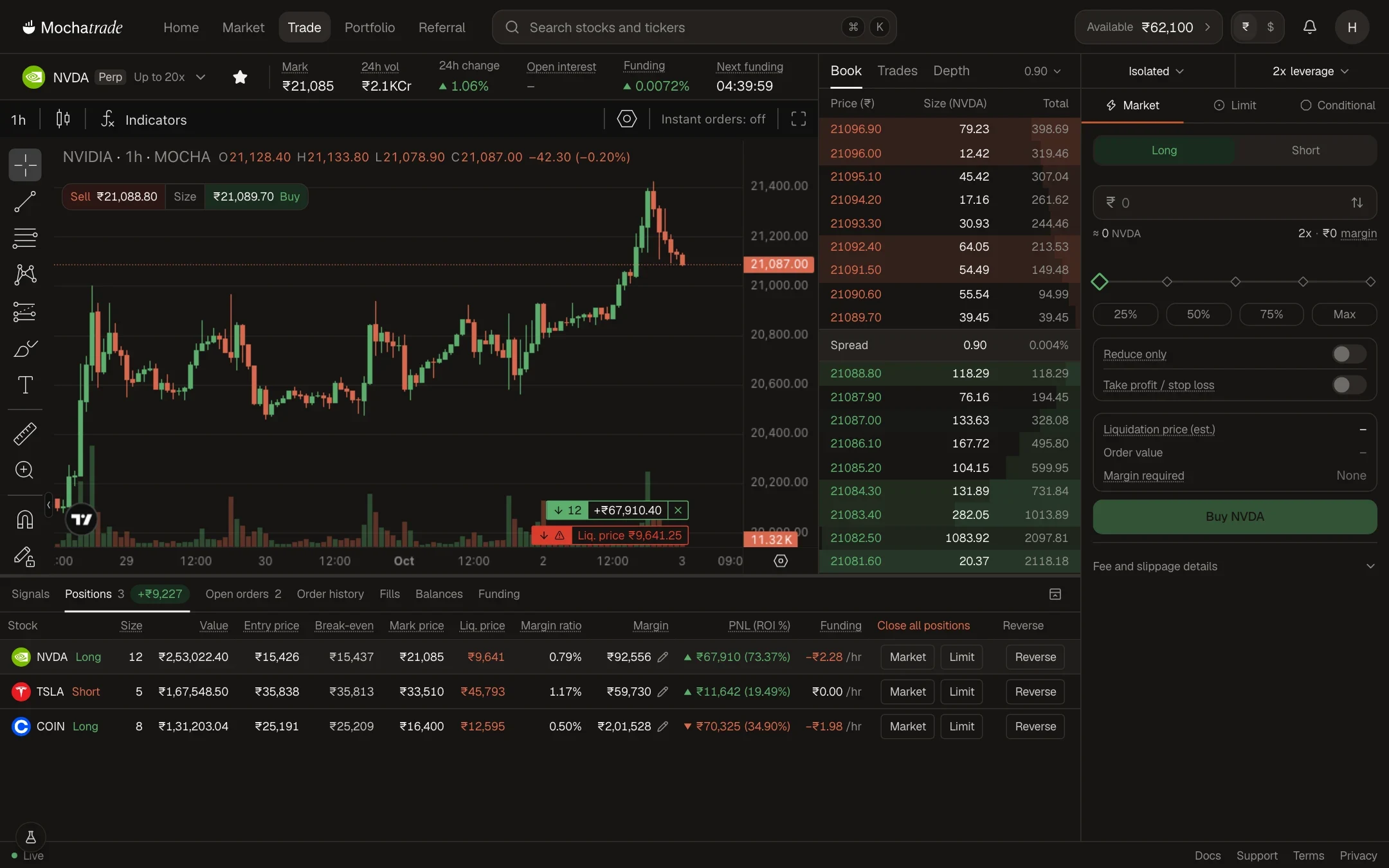
Mochatrade supports Market and Limit entries, Take Profit, Stop Loss and Reduce-Only exits, four conditional order types, and GTC, IOC and FOK time-in-force options. Plan entries, exits and risk in advance instead of watching the market constantly.
Prerequisites & Limits
Category
Order Type
Use it to
Entry
Market, Limit
Open a position now, or at your chosen price
Exit
Take Profit, Stop Loss, Reduce-Only
Lock in gain, cap losses, or shrink a position without flipping direction
Conditional
Stop Market, Stop Limit, Take Profit Market, Take Profit Limit
Trigger an order when price hits a level
Time-in-front
GTC, IOC, FOK
Control how long a order stays active
GTC (Good-Till-Cancelled): stays open until filled or cancelled.
IOC (Immediate-Or-Cancel): fills what it can immediately, cancels the rest.
FOK (Fill-Or-Kill): fills completely right away, or not at all.
Step-by-Step Navigation
Open any contract and click Long or Short.
Choose Market, Limit or Conditional at the top of the order panel.
Enter the price and size, turn on Take profit / stop loss if needed, and click Buy or Sell.
The trade screen
Common Failures & Troubleshooting
My Limit order hasn't filled: The market hasn't reached your price yet. Check the Open orders tab, or adjust your price.
My FOK order was cancelled: It couldn't fill in full immediately. Use IOC or GTC to allow partial or later fills.
Chat with support
Open a live chat from this page. You’ll get a reply in seconds, and if it needs a closer look, our team takes it from there.
Early access
Request Access
Enter your phone number to join the Mochatrade waitlist.